
Outd Log1.4.0 - App Store
You'll be able to see results in few seconds.
Publisher Description


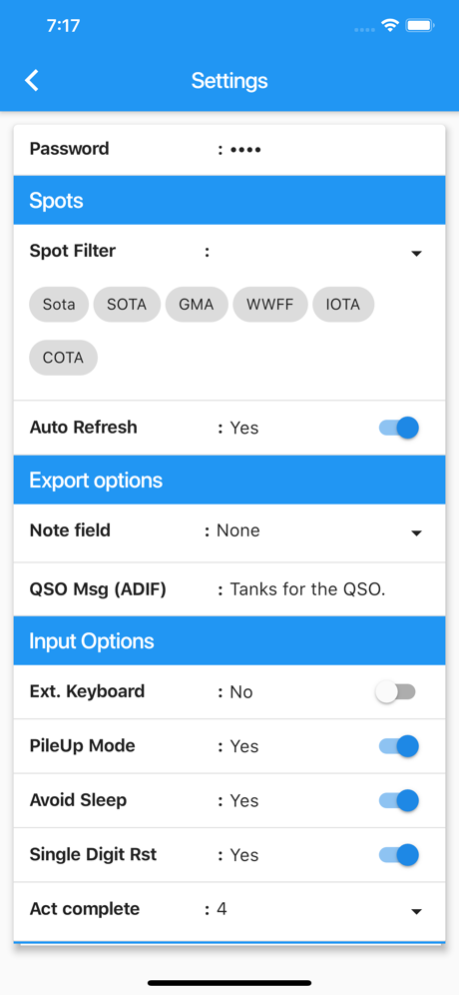
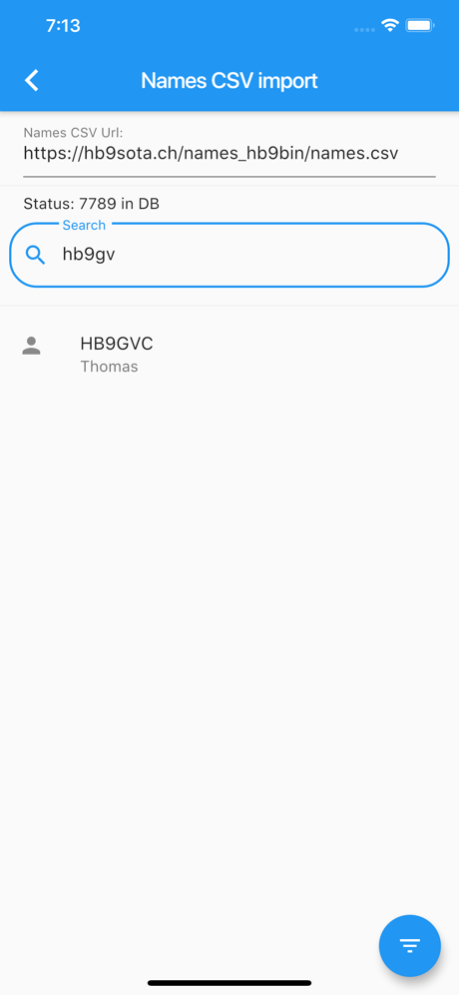
Please let me know what you think of the app.
Ham radio log book specialised on outdoor activities like SOTA, IOTA, Parks on the air and other programs.
Current Features:
+ Log QSOs
+ View Spots (SOTA, GMA, WWFF, COTA, IOTA)
+ Filter Spots by type, band and mode
+ Spot yourself and someone else via SotaWatch 3 API
+ Load ‘names.csv’ for Help with logging
+ Export Log to V2 SOTA CSV (Works with GMA and SOTA)
+ Export Log to ADIF with additional fields for WWFF and eQSL
+ Fast entry of summit references (type ‘hb zh 005’ to get ‘HB/ZH-005’)
+ Call Prefix buttons
+ Default option for RST TX, RST RX, Power and spot text
+ PileUp Mode to reduce key presses
+ Works with SOTA, GMA, WWFF, IOTA, etc
+ Activation indicator and summit stats including S2S
+ Single digit report option, thanks to HB9TVK
+ Mark already worked Spots by HB9BIN
+ QSO info from spot list
+ Edit existing log
+ Optimised for use with external keyboard
more to come
Oct 3, 2019
Version 1.4.0
SotaWatch 3 API for sending spots
Mark Worked Stations by HB9BIN
Filter spots (type, band, mode)
Fine tuned UI
A lot minor enhancements and more
About Outd Log
The company that develops Outd Log is Thomas Ziegler. The latest version released by its developer is 1.4.0.
To install Outd Log on your iOS device, just click the green Continue To App button above to start the installation process. The app is listed on our website since 2019-10-03 and was downloaded 0 times. We have already checked if the download link is safe, however for your own protection we recommend that you scan the downloaded app with your antivirus. Your antivirus may detect the Outd Log as malware if the download link is broken.
How to install Outd Log on your iOS device:
- Click on the Continue To App button on our website. This will redirect you to the App Store.
- Once the Outd Log is shown in the iTunes listing of your iOS device, you can start its download and installation. Tap on the GET button to the right of the app to start downloading it.
- If you are not logged-in the iOS appstore app, you'll be prompted for your your Apple ID and/or password.
- After Outd Log is downloaded, you'll see an INSTALL button to the right. Tap on it to start the actual installation of the iOS app.
- Once installation is finished you can tap on the OPEN button to start it. Its icon will also be added to your device home screen.
Program Details
System requirements
Download information
Pricing
Version History
version 1.4.0
posted on 2019-10-03
Oct 3, 2019
Version 1.4.0
SotaWatch 3 API for sending spots
Mark Worked Stations by HB9BIN
Filter spots (type, band, mode)
Fine tuned UI
A lot minor enhancements and more
Disclaimer
Official App Store Link
We do not host Outd Log on our servers. We did not scan it for viruses, adware, spyware or other type of malware. This app is hosted by Apple and passed their terms and conditions to be listed there. We recommend caution when installing it.
The App Store link for Outd Log is provided to you by apps112.com without any warranties, representations or guarantees of any kind, so access it at your own risk.
If you have questions regarding this particular app contact the publisher directly. For questions about the functionalities of apps112.com contact us.
